Quick start guide
-
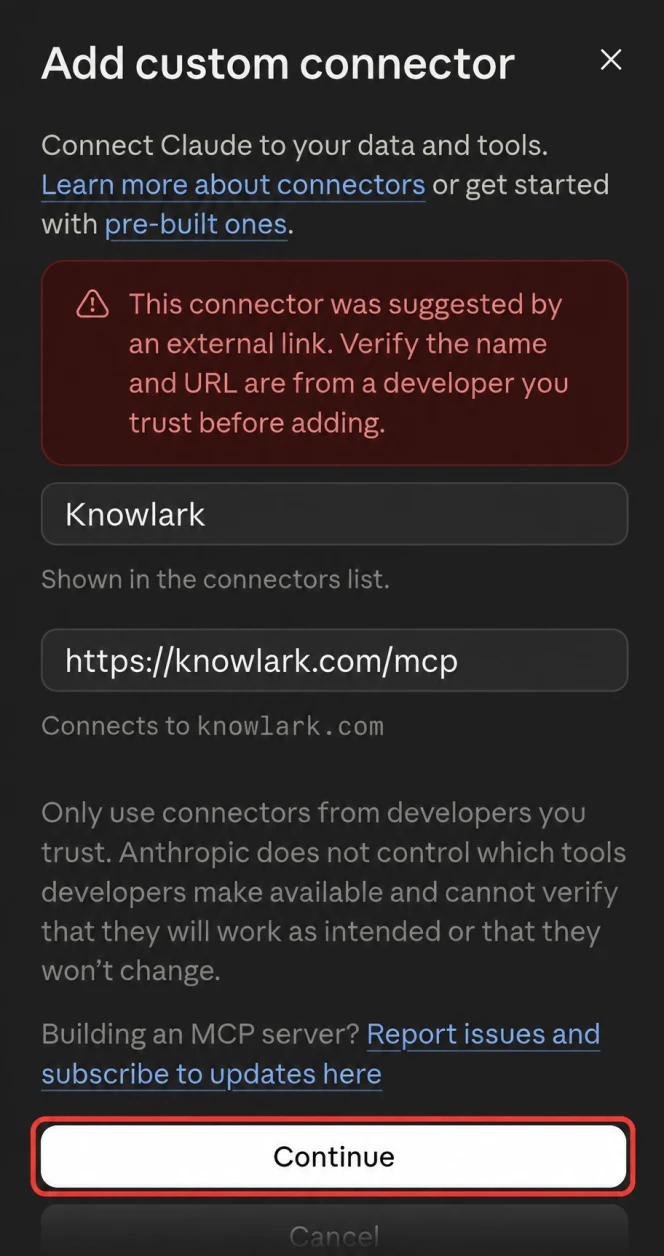
Add Knowlark to Claude, then click Continue.
-
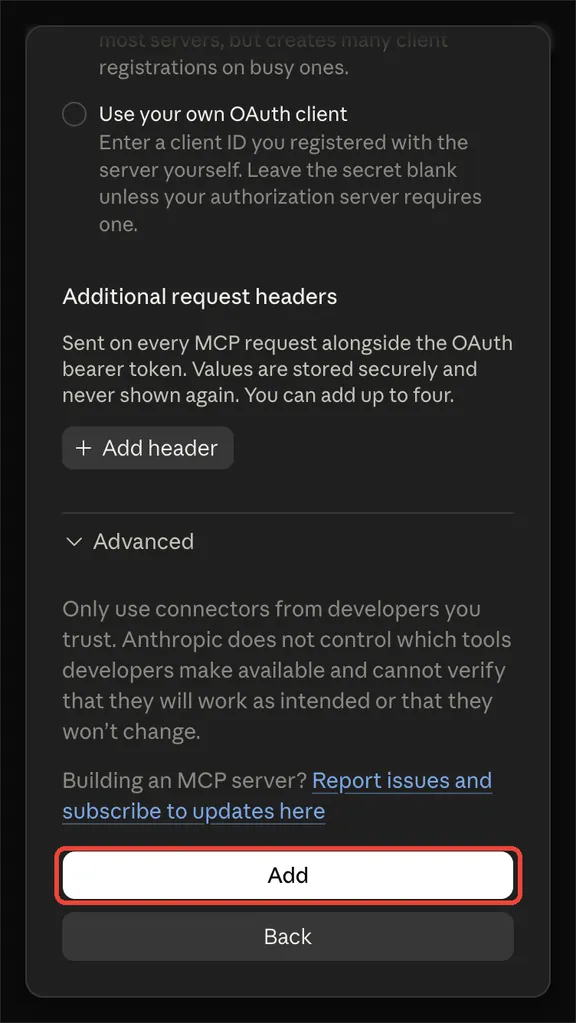
Scroll to the bottom, then click Add.
-
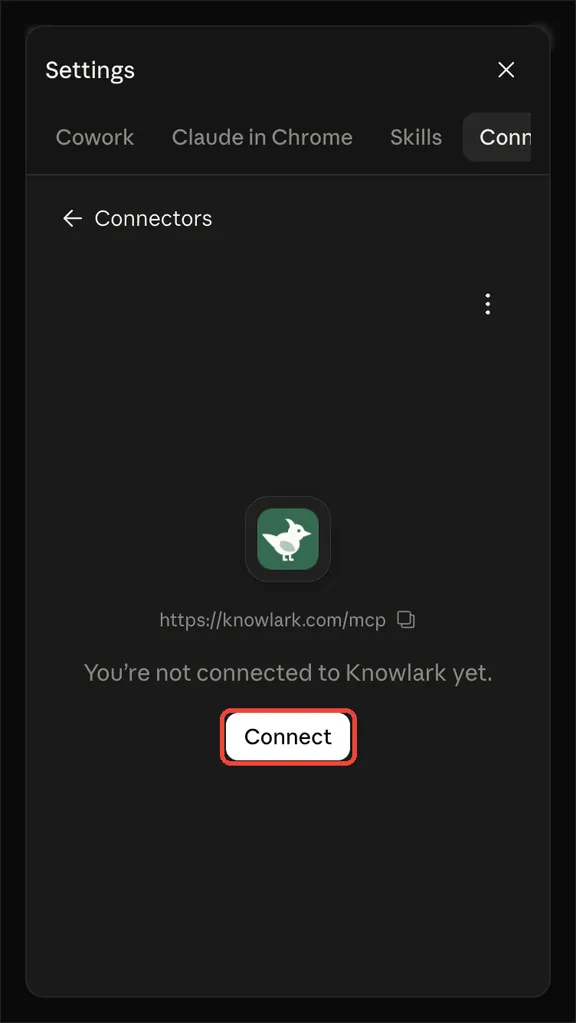
Click Connect, then sign up.
-
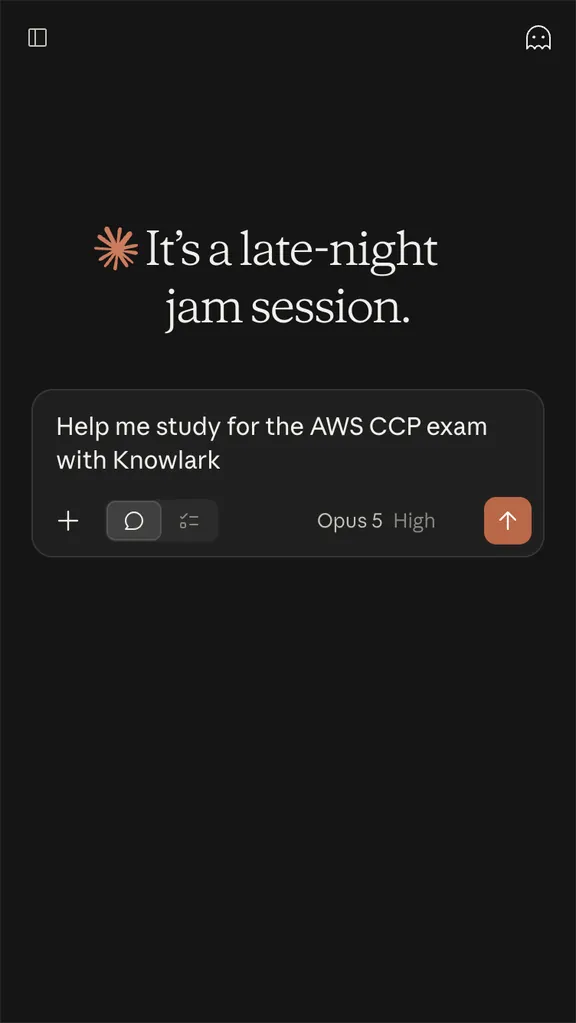
Tell Claude to help you study with Knowlark.
-
Open the account menu, then click Settings.
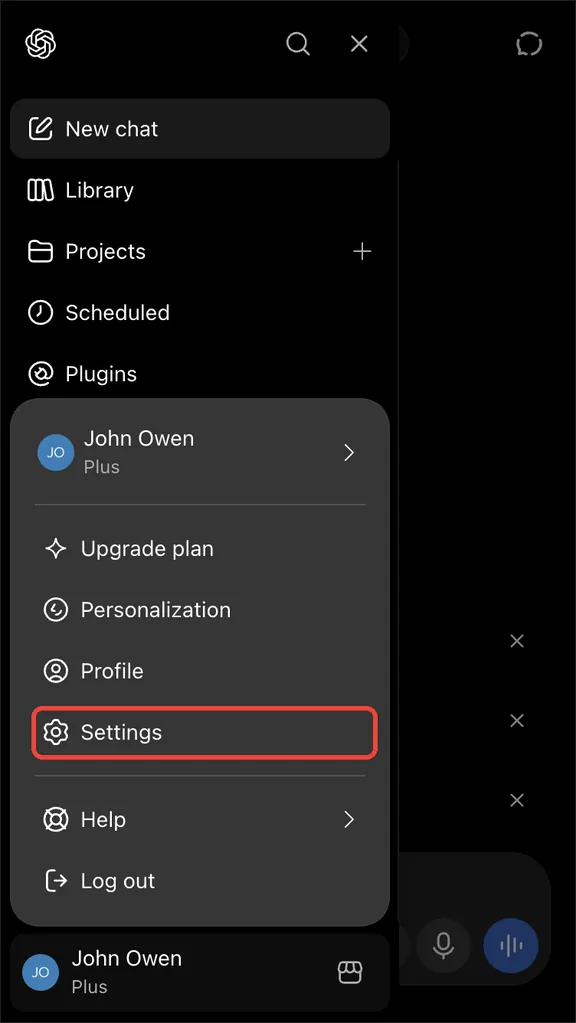
-
Click Plugins.
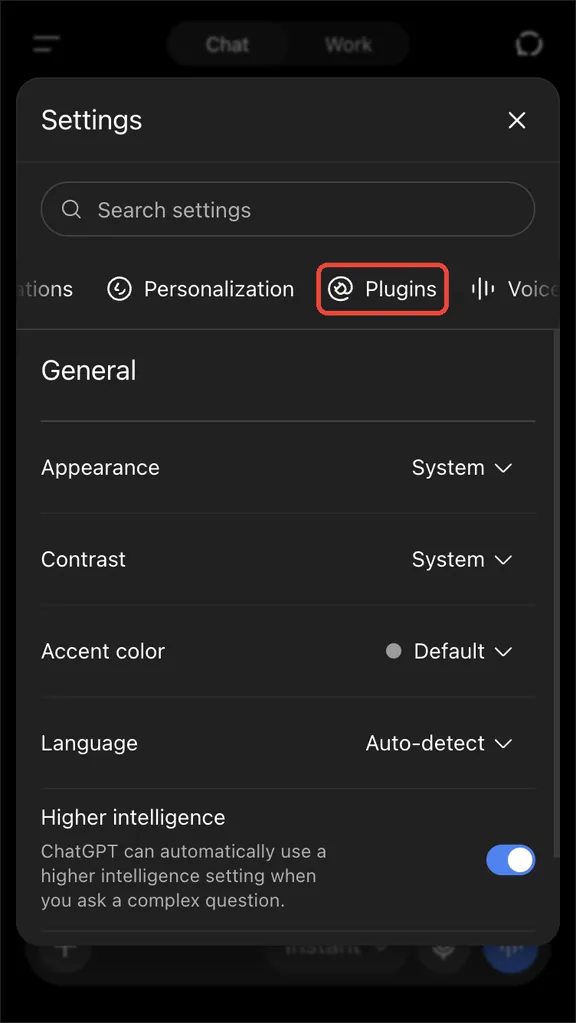
-
Scroll to the bottom, then click Developer mode.
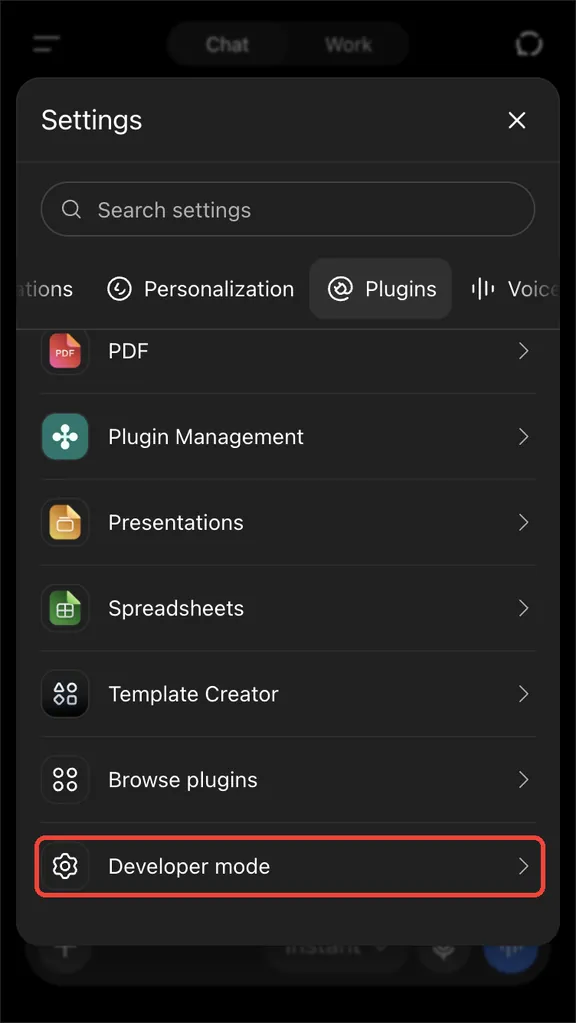
-
Turn on Developer mode.
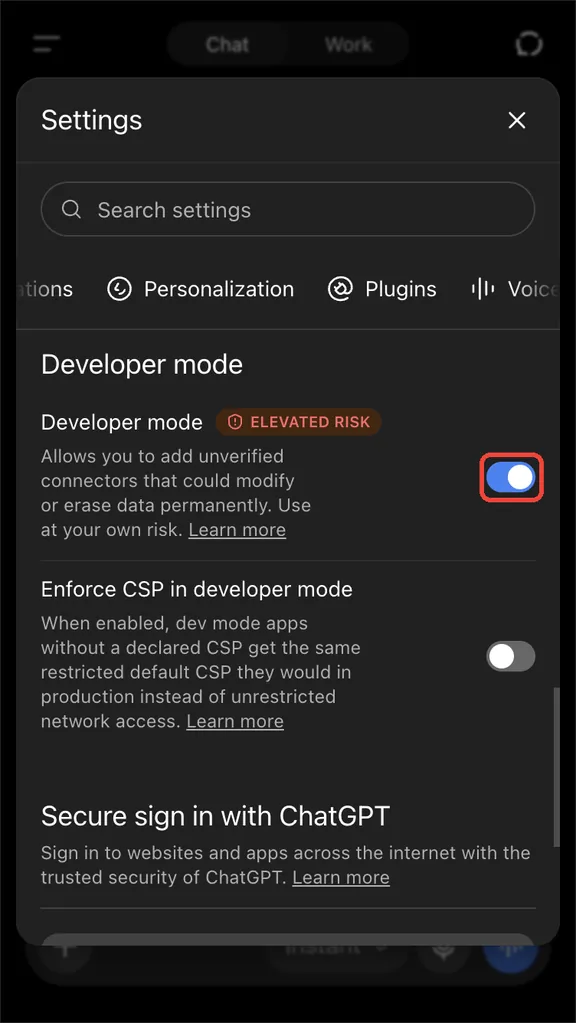
-
Go back to Plugins, then click Browse plugins.
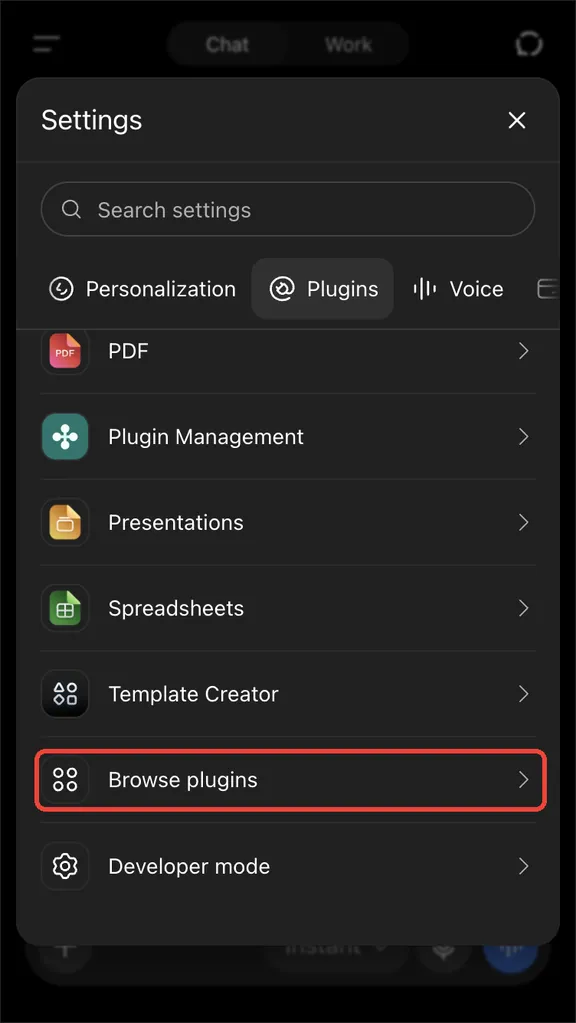
-
Click the plus button.
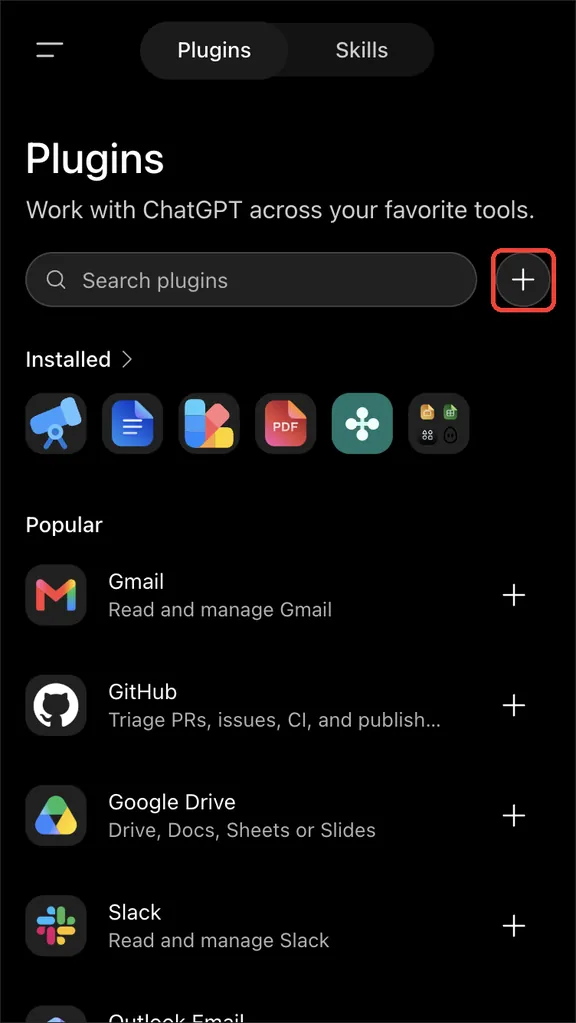
-
Enter the name Knowlark and the address below.
https://knowlark.com/mcp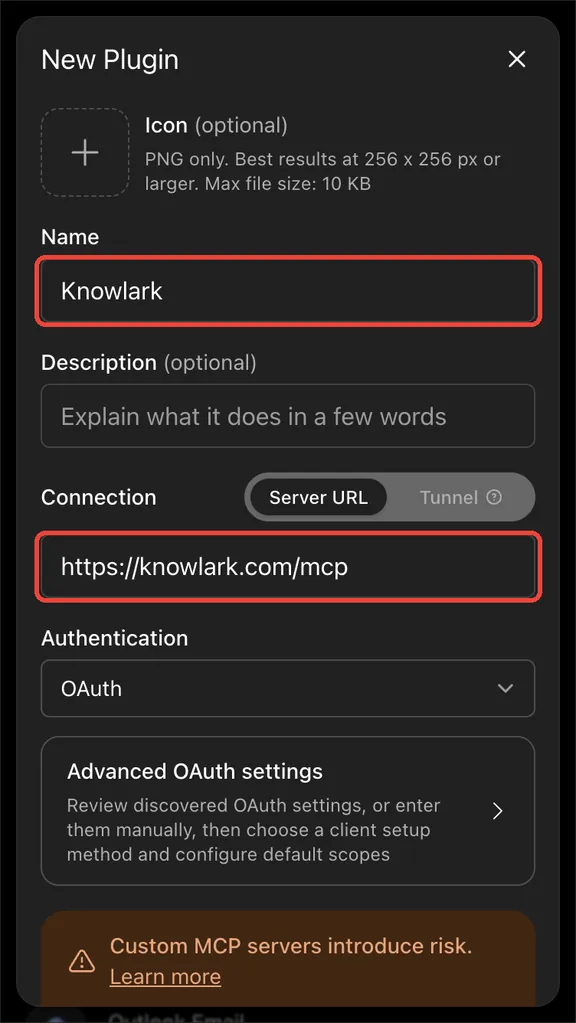
-
Scroll to the bottom, then click Create.
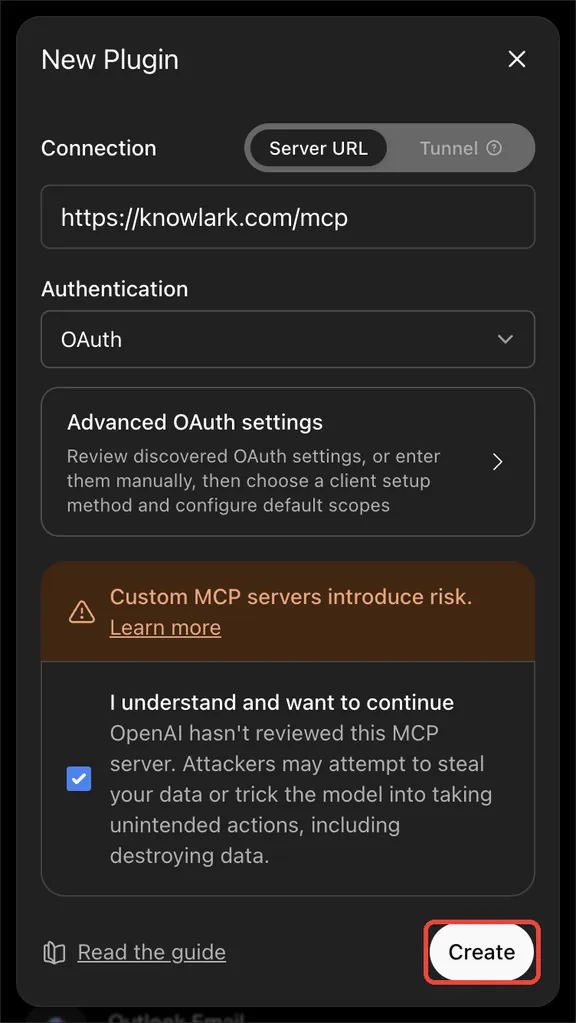
-
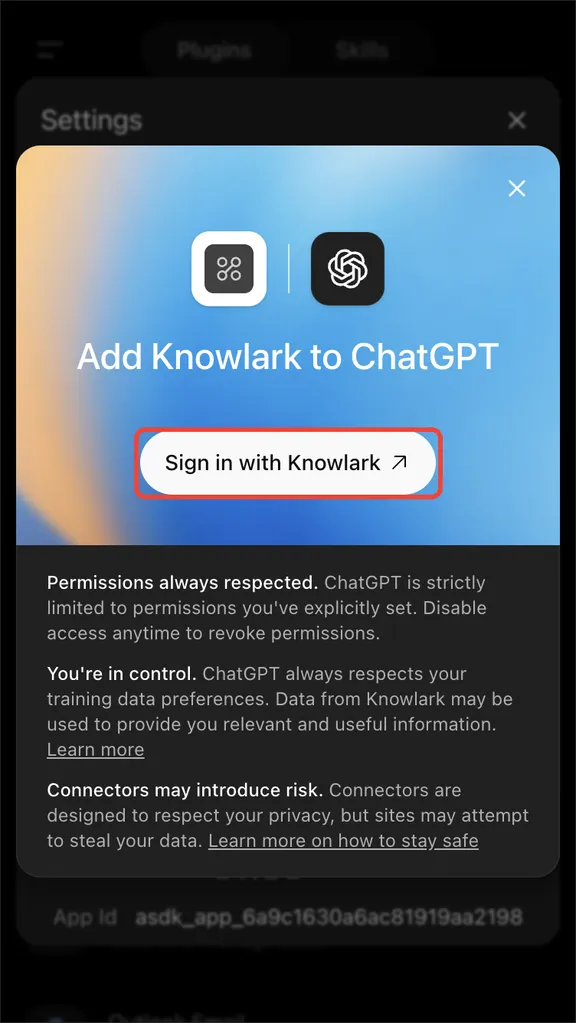
Click Sign in with Knowlark, then sign up.
-
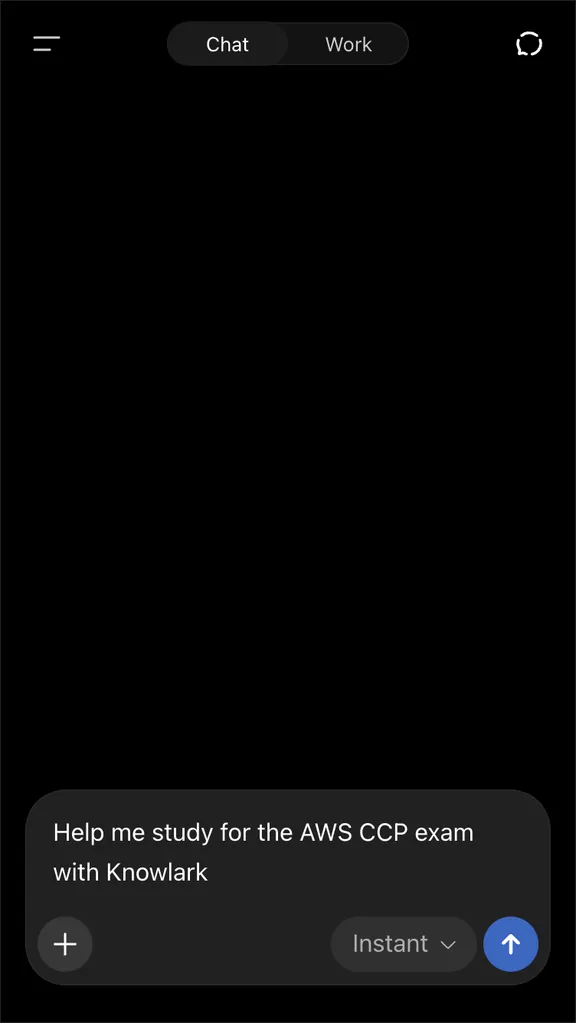
Tell ChatGPT to help you study with Knowlark.
-
Paste this prompt into your AI.
Add this MCP server: https://knowlark.com/mcp -
Follow instructions to connect Knowlark MCP.
-
Tell your AI to help you study with Knowlark.
Help me study for the AWS CCP exam with Knowlark